YubiKey 5 NFC for MFA and Passkeys
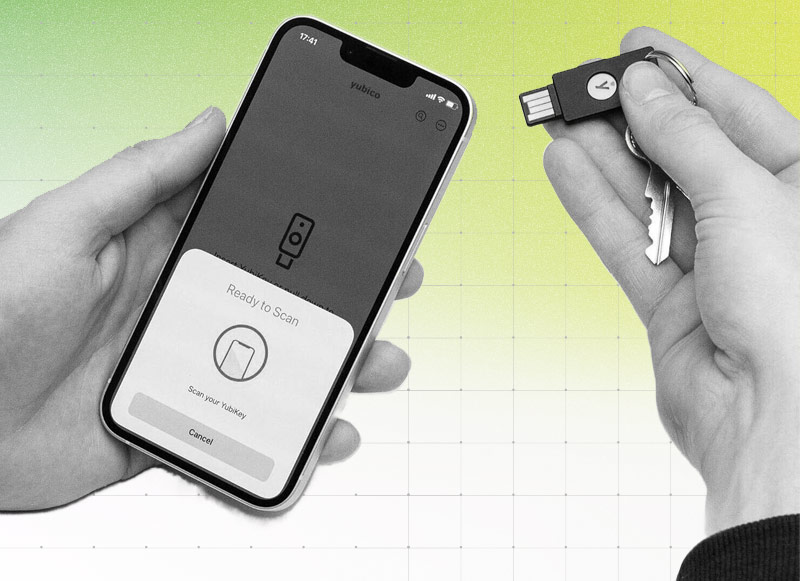
Most organisations rolling out phishing-resistant authentication end up choosing between two things: a hardware security key for maximum protection, or passkeys for a smoother, faster login experience. The YubiKey 5 NFC is worth knowing about because it does not force that choice. It is a single physical key that supports both, alongside several other authentication protocols most enterprise environments still depend on.
An organisation can deploy YubiKeys with Microsoft 365 and Microsoft Entra ID by enabling Passkey (FIDO2) authentication for selected user groups, registering each user’s security key, and applying Conditional Access policies that require phishing-resistant authentication. Start with a controlled pilot, test the required Microsoft services and devices, and establish a recovery process before expanding the deployment. Organisations that also need smart-card login or certificate-based access can use the YubiKey’s PIV capability alongside FIDO2.
What it actually is
The YubiKey 5 NFC is a small USB-A key with NFC built in, so it works by plugging into a computer or tapping against a phone. There is no battery to charge and no software to install. It is IP68 rated, meaning it survives water and dust exposure that would take out most other hardware, and it is built to last years of daily use in a bag, on a keyring, or in a laptop bag pocket.
What sets it apart from a basic security key is protocol support. In a single device it covers FIDO2/WebAuthn, FIDO U2F, smart card/PIV, OATH-TOTP, OATH-HOTP, OpenPGP, and Yubico OTP. Most organisations only need one or two of these on day one, but having all of them on one key means IT teams are not issuing different hardware to different teams as requirements change.
How it works for MFA
For traditional multi-factor authentication, the YubiKey 5 NFC replaces codes and push notifications with a physical touch. A user plugs it in or taps it, touches the gold contact, and the key proves possession cryptographically rather than transmitting anything that could be intercepted or approved under pressure. This is what makes it phishing-resistant rather than just an extra step: the key only responds to the legitimate service it was registered with, so a convincing fake login page gets nothing back from it.
It works across the identity providers most UAE enterprises already run, including Microsoft Entra ID, Okta, and Google Workspace, and via smart card/PIV it extends into Windows domain login, VPN access, and certificate-based authentication for the legacy and on-premises systems that cloud-only MFA tools typically cannot reach.
Deploying YubiKey with Microsoft 365 and Entra ID
YubiKeys can support Microsoft 365 and Microsoft Entra ID authentication, Windows login, selected remote desktop scenarios, and mobile sign-in. The right configuration depends on whether the organisation primarily needs passwordless access to cloud applications or must also support certificate-based authentication for Windows, remote access, and existing enterprise systems.
A structured rollout normally follows five stages:
- Configure the authentication policy. In the Microsoft Entra admin centre, enable Passkey (FIDO2) under Authentication methods and assign the policy to a pilot group. Decide whether to enforce attestation or restrict approved security-key models, then configure Conditional Access authentication strengths where phishing-resistant authentication must be required.
- Prepare and enrol the keys. Record each key against its assigned user, configure the required PIN, and determine whether users will receive one primary key or a primary and backup key. For certificate-based deployments, provision the required certificate to the YubiKey’s PIV application through the organisation’s PKI and certificate-management process.
- Register each user. Users add the YubiKey through their Microsoft Security info page, select a security key or device-bound passkey, and complete registration by inserting or tapping the key, entering its PIN, and touching the contact. Provide clear instructions so users understand how to register, name, and use their key.
- Run a controlled pilot. Test with a representative group across Microsoft 365 applications, Entra ID sign-in, Windows devices, remote-access workflows, and supported mobile devices. Include different roles, operating systems, browsers, and working environments before moving to a wider rollout.
- Plan recovery and offboarding. Define what happens when a key is lost, damaged, forgotten, or assigned to an employee who leaves. The process should cover backup authentication, removal of the registered key from Entra ID, certificate revocation where applicable, replacement-key issuance, and asset tracking.
Frequently asked questions
Does YubiKey work with Microsoft 365?
Yes. A YubiKey can be registered as a device-bound passkey using Microsoft Entra ID’s Passkey (FIDO2) authentication method and used to access Microsoft 365 without relying on passwords, SMS codes or push approvals. It can also support Microsoft Entra certificate-based authentication when certificates are provisioned to its PIV application.
Should we use FIDO2 or certificate-based authentication in Entra ID?
FIDO2 is generally the simpler choice for cloud-first organisations that want phishing-resistant, passwordless access to Microsoft 365 and other Entra-integrated applications. Certificate-based authentication is better suited to environments that already operate a PKI or need certificates for smart-card login, remote access, regulated workflows or legacy applications. Some organisations deploy both methods on the same YubiKey to cover modern cloud services and certificate-dependent systems.
How it works for passkeys
With firmware 5.7, the YubiKey 5 NFC stores up to 100 discoverable credentials, the technical term for passkeys, alongside 24 PIV certificates and 64 OATH seeds, for 190 credentials on one key in total. That is a meaningful jump from the 25-credential limit on earlier firmware, and it means a single key can realistically carry someone's full set of workplace logins rather than just one or two.
The distinction worth understanding here is device-bound versus synced passkeys. A passkey saved in a phone's cloud account is convenient, but it lives wherever that cloud account lives, which is a different risk profile to a passkey generated and stored on a physical key that never leaves the user's possession. For privileged accounts, finance teams, and anyone handling sensitive data, that difference matters.
Why the NFC part matters
NFC support means the key works with a tap against a phone, without a physical port or adapter. That sounds like a convenience feature, but for UAE enterprises it solves a specific operational problem: field staff, shared workstations in government and healthcare settings, and VDI environments where a plugged-in USB key is not always practical. Tapping a key to a phone to approve access is fast enough that adoption actually holds up after the rollout, which is where most hardware MFA projects quietly fail.
What this means for deployment in the UAE
A hardware key that supports MFA, passkeys, and certificate-based authentication in one device maps cleanly onto NCA, NESA, and SAMA expectations for phishing-resistant authentication, and onto ISO 27001 controls more broadly. It is also a practical answer to a common regional constraint: many enterprises here run a mix of cloud services and older on-premises systems, and a key that supports both cloud passkeys and PIV-based legacy authentication avoids running two separate hardware programmes.
Two things are worth planning for before a full rollout. First, PIV and smart card use cases benefit from pairing the YubiKey with Pointsharp for full certificate lifecycle management, rather than managing certificates manually. Second, once an organisation issues more than a handful of keys, tracking who has which key and deprovisioning it correctly when someone leaves becomes its own project. Appterix by EgoMind exists specifically to solve that lifecycle and offboarding problem for YubiKey deployments at scale.
For organisations issuing keys to 500 or more users, YubiEnterprise Subscription is also worth evaluating over one-time purchasing, since it covers lost-key replacement and lets keys follow employees between roles.
Pilot YubiKey with Microsoft 365
The Kernel represents Yubico across the UAE, the Middle East, Africa and CIS and supports organisations planning pilot deployments for Microsoft 365 and Microsoft Entra ID environments. We can help define the pilot group, select the appropriate YubiKey model, review FIDO2 or certificate-based requirements, and plan registration, testing, recovery and wider deployment.
For environments that combine Microsoft 365 with Windows smart-card login, remote access or certificate-dependent applications, we can also advise on integrating YubiKey with Pointsharp and a managed certificate lifecycle.
Ready to pilot YubiKey with Microsoft 365?
Talk to our team | Explore Yubico solutions

Want these in your inbox?
We publish practical, vendor-neutral writing on identity, authentication, and security operations in the region. No spam, no hard sell.